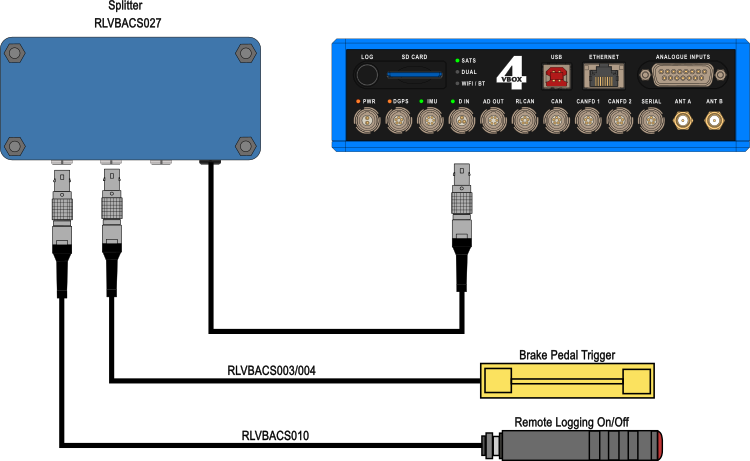
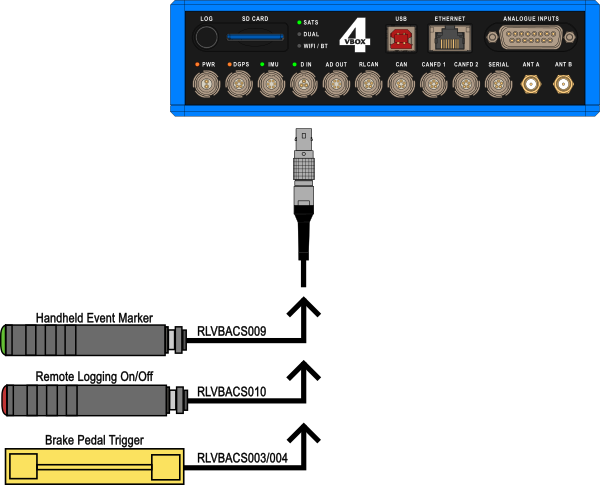
The D IN port on VBOX 4 contains two digital inputs. You can connect one directly to the D IN port or use a splitter to connect 2 simultaneously.
- The Handheld event marker input connects to an event capture input on the GNSS engine. This will precisely capture the trigger event time (at 10 ns resolution). A handheld event marker is also available so that you can record marker events in the data file.
- You can use a Remote logging on/off switch to manually start/stop data logging for ease of use and in situations when the front panel button is not accessible.
- By using a Brake Pedal Trigger, a physical pressure switch on the brake pedal, you can capture a precise ‘start of braking event’.
You can connect 2 digital input devices to the VBOX 4 with the use of an additional Splitter (RLVBACS027), as shown in the example image below.