
The LabSat 4 product range features an external reference input for synchronization to a 10 MHz clock. To use this feature, connect a 10 MHz reference signal with a minimum + 3 dB level to the REF SMA connector and ensure that the External 10MHz reference clock option is ticked in Menu → Setup → CLK REF → External 10 MHz in the Display Menu or in the System Setup menu in the LabSat 4 Web Server.

Note: When LabSat 4 operates from the internal TCXO or OCXO, you can configure the REF connector to output a 10 MHz reference that can be used by other equipment. This is enabled by ticking the REF OUT menu option which is visible only when internal TCXO or OCXO is enabled.
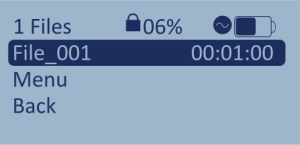
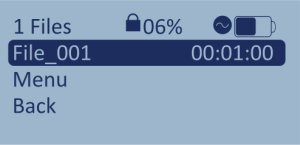
When you have enabled the External 10MHz option on LabSat 4, you will see the following symbol displayed on the File Selection Screen when you exit the menu:
The circular symbol next to the battery symbol indicates that the External 10MHz reference has been enabled.

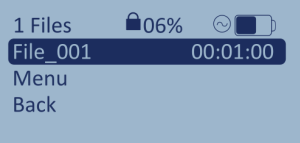
When the symbol is white, the reference has been enabled but there is no valid signal present.
When the symbol is black, the reference has been enabled and there is a valid signal present. The unit is ready to record.