
Please register your Pit Lane Timer so that Racelogic can continue to provide you with notifications about the latest software releases and firmware upgrades for your Racelogic product, and offer technical support.
Register your device here.

What is in the box?
When you purchase a VBOX Pit Lane Timer (RLVBPIT-S or RLVBPIT-R), you will find the following items when you open the box:
| Product Code | Quantity | Description |
|---|---|---|
| VBPIT02-S-V1 | 1 | Pit Lane Timer unit with side connectors |
| RLACS262 | 1 | GNSS Antenna |
| RLCAB014LE | 1 | Unterminated Power Cable |
| RLACS313 | 1 | 8 GB SD Card |
| RLACS287 | 1 | Lightweight suction mount with thumb nut |
| Product Code | Quantity | Description |
|---|---|---|
| VBPIT02-R-V1 | 1 | Pit Lane Timer unit with rear connectors |
| RLACS262 | 1 | GNSS Antenna |
| RLCAB014LE | 1 | Unterminated Power Cable |
| RLACS313 | 1 | 8 GB SD Card |
| RLACS287 | 1 | Lightweight suction mount with thumb nut |
| Product Code | Description |
|---|---|
| RLVBPITDSP | OLED Pit Display |
Any suitable 12 V supply powers the Pit Lane Timer. You must wire the unterminated end of the RLCAB014LE cable directly to a compatible power supply or to a connector that you can use with a compatible power supply.
The power port is the top Lemo port on the unit.
When you power up the Pit Lane Timer unit, the LEDs will light white and sweep through the LED array to indicate that the unit is powered and initialising.
VBOX Pit Lane Timers can record to MMC, SD, SDHC and SDXC media cards that are formatted in a FAT or FAT32 format.
SDXC cards will be formatted as exFAT by default, which is not a format type that is supported by VBOX Pit Lane Timer units. You can still use an SDXC card, but you will have to reformat it to FAT32.
SDXC cards and cards that are bigger than 32 GB cannot be formatted to FAT32 using Windows standard formatting. There are various free third-party applications available online to format these cards, we recommend This Tool as a free option from the SD card organisation.
Note:
Many newer 64 GB and larger SDXC cards are now formatted to exFAT during manufacture and some third-party programs, such as GUI format, will display an error message when you try to format these cards to FAT32.
If you see this message, you can work around it by using Windows Explorer to format the card to NTFS. You can then use GUI format to change the formatting from NTFS to FAT32. This issue only affects brand-new cards that have not previously been formatted.

Note:
Many newer 64 GB and larger SDXC cards are now formatted to exFAT during manufacture and some third-party programs, such as GUI format, will display an error message when you try to format these cards to FAT32.
If you see this message, you can work around it by using Windows Explorer to format the card to NTFS. You can then use GUI format to change the formatting from NTFS to FAT32. This issue only affects brand-new cards that have not previously been formatted.


Up Arrow
The function of this button is to navigate down through menu options and settings.

Up Arrow
The function of this button is to navigate down through menu options and settings.

Down Arrow
The function of this button is to navigate up through menu options and settings.

Down Arrow
The function of this button is to navigate up through menu options and settings.

OK
The function of this button is to select options and settings.

OK
The function of this button is to select options and settings.

Shortcut Button
The function of this button is to act as a shortcut to exit the settings and go back to the display modes.
It is also a shortcut to the relevant settings from the display modes.
For example, if you are in the Pit Timing display mode, you can press the Shortcut button to go to the Pit Lane Timing menu in the settings.

Shortcut Button
The function of this button is to act as a shortcut to exit the settings and go back to the display modes.
It is also a shortcut to the relevant settings from the display modes.
For example, if you are in the Pit Timing display mode, you can press the Shortcut button to go to the Pit Lane Timing menu in the settings.
An appropriate placement of the GNSS antenna is crucial to the quality of the data that is being recorded.
You can find information about how to mount the antenna here.

Standard Accessory - RLACS287
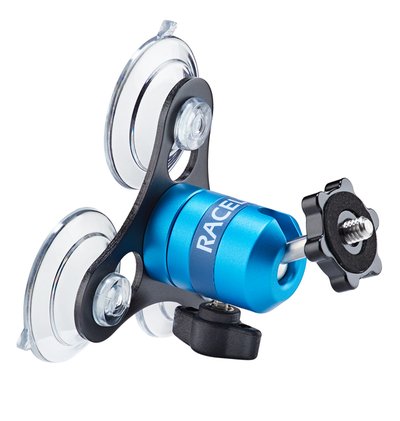
The RLACS287 Lightweight Windscreen Suction Mount is the mount that is delivered with the Pit Lane Timer as standard.
This suction mount is made to be attached to the windscreen in the driver's field of view to make it easy to take in information at a glance.
Standard Accessory - RLACS287
The RLACS287 Lightweight Windscreen Suction Mount is the mount that is delivered with the Pit Lane Timer as standard.
This suction mount is made to be attached to the windscreen in the driver's field of view to make it easy to take in information at a glance.

Optional Accessory - RLACS286
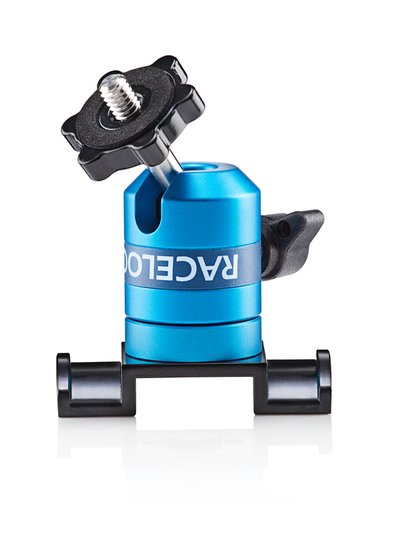
An alternative mounting option is the RLACS286 Roll Cage Camera Mount with Thumb Nut.
The roll cage mount has a solid aluminium body, connected to a curved mounting plate that is bolted to the bar via a pair of jubilee clips (2 supplied) or worm drive hose clips (four supplied).
You can find more information about this roll cage mount on our website.
Optional Accessory - RLACS286
An alternative mounting option is the RLACS286 Roll Cage Camera Mount with Thumb Nut.
The roll cage mount has a solid aluminium body, connected to a curved mounting plate that is bolted to the bar via a pair of jubilee clips (2 supplied) or worm drive hose clips (four supplied).
You can find more information about this roll cage mount on our website.

Optional Mounting - 3M Dual Lock
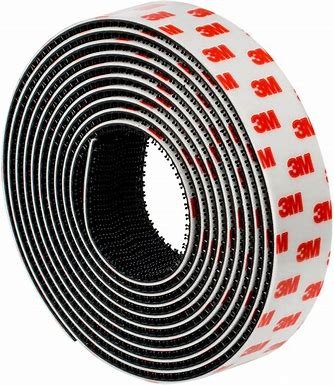
You can purchase and use Dual Lock tape to attach the Pit Lane Timer to a dashboard.
Not sold by Racelogic
Optional Mounting - 3M Dual Lock
You can purchase and use Dual Lock tape to attach the Pit Lane Timer to a dashboard.
Not sold by Racelogic

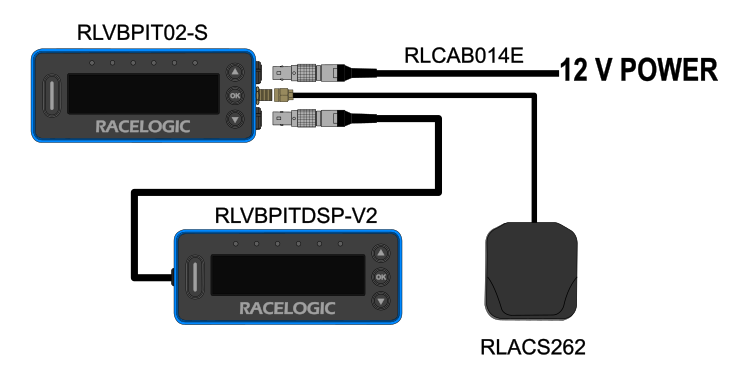

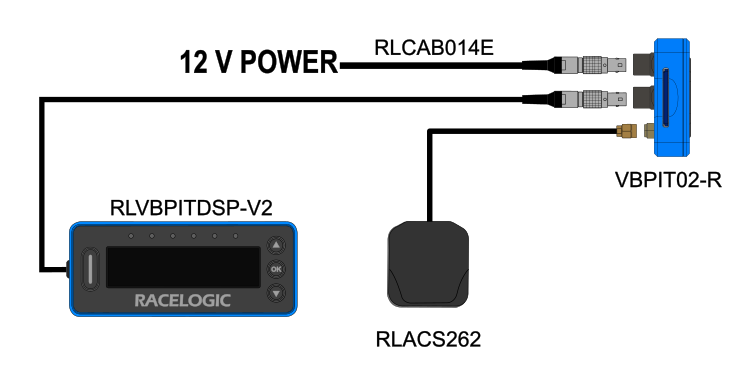
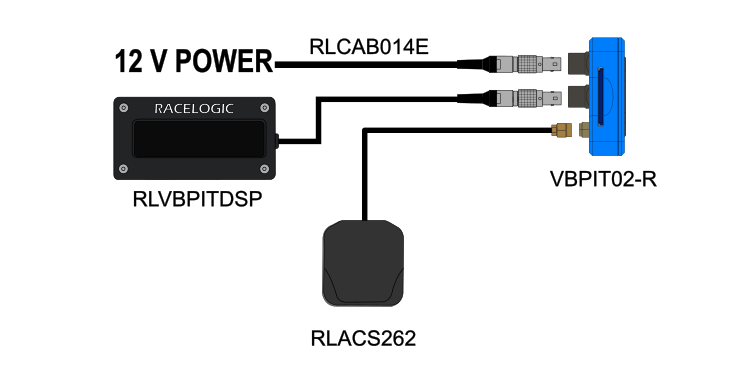
The VBOX Pit Lane Timer has 2 different display modes, which you can navigate between with the up and down buttons on your unit. Click on the name of each mode below to view relevant setup information.


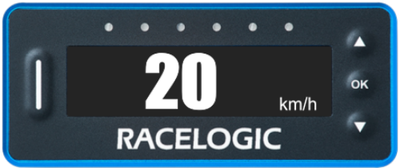
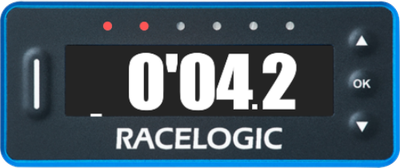
Pit Timing behaviour in Entrance to Exit mode with a set Speed Limit of 60 km/h.